
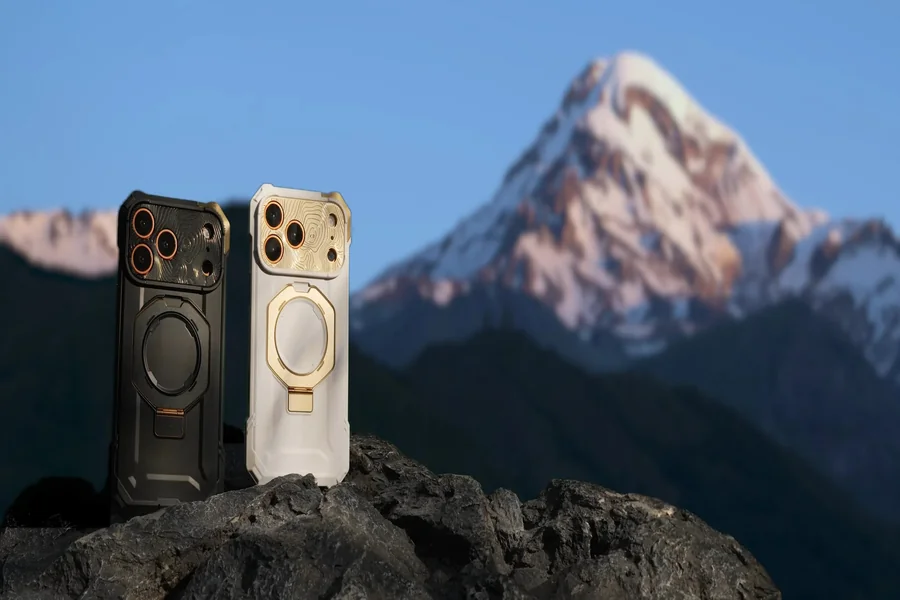
If you’ve ever hit an hour into a game and noticed your phone getting sluggish, heat is almost always the reason. Most people’s first instinct is to grab a cooling case — it sounds like the obvious fix. But there’s another option that works completely differently, and understanding the gap between the two makes the choice a lot simpler.
Why Heat Is the Real Problem
Your processor generates heat when it works hard. That’s unavoidable. The issue is that a smartphone has almost no room to vent it — it’s a sealed slab of glass and aluminum. So once temperatures climb past a certain point, the phone deliberately throttles itself to avoid damage.
Throttling is what causes the stutters and frame drops you feel mid-game. It also makes your touchscreen feel sluggish and drains the battery faster. Long-term, repeated overheating chips away at battery health, too.
Any cooling accessory is trying to solve one thing: remove heat fast enough that throttling never kicks in. How a product does that — and how effectively — is where phone coolers and cooling cases split apart.
What a Phone Cooler Actually Does
A phone cooler is a separate device that attaches to the back of your phone, usually with a magnetic clip. It cools actively, meaning it needs power and does real mechanical work to remove heat.
Two types are worth knowing about:
Fan Coolers
Fan coolers are the simpler, cheaper option. A small fan blows air across the back of the phone. They won’t make a dramatic difference in temperature, but they help during lighter use — video calls, casual games, streaming something in the background.
Semiconductor (Peltier) Coolers
These are more serious. A Peltier element chills a metal plate that sits directly against your phone’s back. The plate gets cold fast — cold enough to feel it — and it actively draws heat out of the device rather than just stirring warm air around.
Models like the TH12Ai and TH28 from phonecooler.com use magnetic attachment, so setup takes seconds. Most include a temperature readout and run quietly. Under heavy gaming load or in a warm room, a Peltier cooler is the only accessory that actually keeps temperatures under control.
One caveat: they run off USB power continuously, and in very humid conditions, you can get condensation on the plate. Not a dealbreaker, just something to know.
What a Cooling Case Does
A cooling case looks like a regular phone case but uses specific materials — usually metals like aluminum or graphite layers — to spread heat across a larger surface area so it dissipates faster. Some models include a small built-in fan, though most are fully passive.
The appeal is simple. You put it on once, and it’s always there. It protects your phone from drops and manages heat without any setup or extra hardware. It’s a set-it-and-forget-it approach.
The limitation is also simple: passive cooling can slow heat accumulation, but it can’t actively remove heat once your phone is already running hot. It’s more of a buffer than a solution.
A Direct Comparison
| Factor | Phone Cooler | Cooling Case |
| Cooling method | Active (fan or Peltier element) | Passive (materials) or mild active (fan) |
| Cooling strength | High — especially semiconductor models | Low to moderate |
| Best use case | Gaming, streaming, heavy app use | Daily tasks, light gaming |
| Portability | Separate device to carry and power | Always on the phone |
| Requires power | Yes, via USB | Usually no |
| Drop protection | None | Yes |
| Noise | Near-silent to quiet | Silent (passive models) |
| Price range | ~$20–$50 | ~$15–$40 |
| Setup | Clip or magnet, takes seconds | Just put it on |
On Raw Cooling Power
A semiconductor cooler beats a cooling case by a wide margin. If you’re doing something demanding — ranked games, streaming, video recording — the case won’t hold temperatures down. The cooler will.
On Convenience
The case wins here without question. It’s already on your phone, it doesn’t need charging, and you don’t have to think about it. A cooler is another thing to pack and plug in.
On Price and Fit
Both land in a similar price range. Magnetic coolers pair best with phones that have magnetic support built in, though most include a universal clip. Cooling cases are phone-specific, so check compatibility before buying.
How Each Holds Up in Practice
A 90-minute ranked match. Your processor is maxed out the whole time. A cooling case slows the heat curve, but can’t stop it — the phone still throttles eventually. A semiconductor cooler like the TH28 keeps surface temperature down and frame rates consistent through the full session. Cooler wins.
Regular daily use — messages, social media, short videos. Heat is light and intermittent. A cooling case handles this fine, and you get drop protection on top. An active cooler is overkill here. Case wins.
A two-hour live stream. Running the game, encoding video, and uploading all at once generates heat quickly. A case can’t absorb that much sustained load. A cooler keeps the phone stable for the full broadcast. Cooler wins again.
The trend is straightforward: the longer and harder you run your phone, the less a passive case can help.
Mistakes Worth Avoiding
- Buying a cooling case expecting it to fix the gaming throttle. It won’t, at least not under real load. If throttling is your problem, you need active cooling.
- Not checking magnetic compatibility. Magnetic coolers need either a compatible phone or case or the included clip adapter. Worth confirming before you order.
- Using a Peltier cooler carelessly in humid conditions. Condensation can form on the cold plate. In a sticky room, wipe the device periodically and don’t leave it pressed against the phone between sessions.
- Expecting passive cooling to reverse heat. It can slow build-up. Once the phone is already hot, a case won’t bring it back down.
Which One to Choose
Get a phone cooler if you:
- Game for more than 30–45 minutes at a stretch
- Stream, record video, or run anything that keeps the processor working hard
- Live somewhere warm
- Want real temperature control and don’t mind a separate accessory
For serious use, a magnetic Peltier model — the TH12Ai for versatility, or the TH28 for raw cooling power — is the practical choice.
Get a cooling case if you:
- Use your phone mainly for everyday tasks and occasional light gaming
- Want something that handles both heat and drops in one product
- Prefer not carrying or charging extra hardware
- Just need a bit of heat buffer, not aggressive cooling
Both together are also a legitimate setup. Keep a cooling case on all day for protection and light heat control, then clip on a cooler for gaming sessions. A lot of regular players do exactly that.
The Bottom Line
These two products aren’t really competing — they serve different situations. A phone cooler is the right tool when performance is the priority, and you’re pushing the hardware hard. A cooling case is the right tool when convenience and protection matter more than raw cooling.
If your phone throttles during games, a semiconductor cooler is the fix. If you mostly want a passively cooler-running phone with better drop protection, a case gets the job done. And if you play hard and want coverage the rest of the time, running both isn’t overkill — it’s just practical.