Filmmaking often begins with a visual idea. A director may imagine an unusual prop, an animated character, or an object that helps communicate a story. Before filming begins, the production team needs to turn these ideas into something that can be reviewed, discussed, and eventually brought into the production process.
For independent filmmakers and stop-motion creators, developing visual materials can be challenging. Creating detailed models from scratch takes time, and small teams may not have access to dedicated 3D artists. A 3D model AI generator offers another way to explore concepts and prepare preliminary assets.
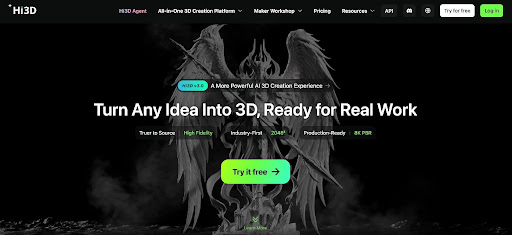
Hi3D helps users transform suitable images and visual ideas into three-dimensional models. For filmmakers, animators, and visual storytellers, it can serve as an additional tool for exploring props, developing character concepts, and preparing visual references before production moves forward.
Developing Props for Film Projects
Props help establish a film’s setting, reveal information about characters, and make fictional worlds feel believable. A detective’s notebook, a mysterious device, or an unusual object found in an abandoned building can become an important part of a story.
Designing these objects requires more than choosing an attractive appearance. The prop must fit the film’s visual style and serve its role in the narrative. A small independent production may also need to create several alternatives before deciding which design works best.
Hi3D’s image-to-3D workflow provides a way to turn suitable visual references into preliminary models. Filmmakers can use these assets to explore the overall shape of an object and communicate a design idea to other members of the production team.
For example, a short science-fiction film might require a fictional handheld device. Rather than relying only on a written description, the filmmaker could develop a visual reference and generate a preliminary three-dimensional representation. This gives the team something more concrete to discuss before investing in detailed modeling or physical fabrication.
The result should be treated as a concept rather than a finished production prop. Fine details, moving parts, material choices, and practical handling requirements may need additional work. If the prop will appear in close-up shots, the team should also check whether its geometry and surface details hold up under the intended camera conditions.
Exploring Character Concepts for Stop-Motion
Stop-motion animation creates movement by photographing physical objects or puppets in a series of carefully arranged positions. Character design is especially important because a character must communicate personality through its silhouette, proportions, facial features, and overall appearance.
Before building a physical puppet, creators may want to compare several design directions. A character could have an exaggerated head, unusually long limbs, or a distinctive costume that helps audiences recognize it immediately.
Hi3D can support early visual exploration by helping users create preliminary models from suitable references. These models may provide another perspective on a character concept and help the creator examine its general form.
For instance, an independent animator developing a short film about a curious forest creature could explore different body proportions before choosing a final direction. A three-dimensional representation may make certain aspects of the design easier to evaluate than a flat drawing alone.
However, a visually appealing model is not automatically suitable for stop-motion production. Physical puppets often require internal armatures, movable joints, durable materials, and proportions that allow the animator to pose them repeatedly.
A generated model may therefore serve as a reference for a sculptor or puppet maker rather than a ready-to-use character. The design may need to be simplified or reconstructed to support the movement required by the story.
Planning Scenes Before Filming
A successful scene depends on more than the objects appearing in it. Camera position, object placement, visual balance, and the relationship between foreground and background all affect how viewers understand the action.
Filmmakers often use storyboards, sketches, reference images, and rough scene layouts to plan these decisions. Three-dimensional assets can provide an additional way to explore how an object might appear from different viewpoints.
Hi3D can help create preliminary models that may be used as visual references during early planning. A director or production designer could inspect an object’s shape and consider how it might look when framed from different angles.
Imagine a short film in which a character discovers an unfamiliar machine on a table. The production team may need to decide which parts of the machine should face the camera and whether its silhouette will remain clear in a close-up shot. A preliminary model can help communicate the intended appearance before the physical prop is built.
Such models are not substitutes for complete scene planning or professional previsualization systems. They may not contain accurate dimensions, animation rigs, or the scene information required by specialized production software.
Their value lies in helping the team discuss visual choices earlier. If a design does not communicate the intended idea, it can be reconsidered before more time is spent on physical production.
Creating Visual References for Collaborative Teams
Film projects usually involve people with different responsibilities. Directors, writers, cinematographers, prop makers, animators, and editors may all interpret a written description differently.
Visual references help reduce this uncertainty. A three-dimensional model gives team members a shared representation to discuss, making it easier to identify differences between the original concept and the intended production result.
Hi3D can contribute to this process by turning suitable images into preliminary 3D assets. These assets can be shared as references when discussing the appearance of a prop or another visual element.
For example, a director may describe a fictional object as old, mechanical, and slightly unsettling. A model can help the prop designer understand its overall form, while the director can explain which features should remain visible in the final shot.
Feedback should focus on specific decisions rather than general reactions. Comments about proportions, silhouette, surface details, and recognizable features give the team clearer directions for revision.
The generated model may still need to be adjusted in another application, particularly if the production requires precise geometry or complex animation. Even so, a shared visual reference can make early conversations more productive.
Experimenting with Visual Styles
Films often rely on a consistent visual style to establish atmosphere. A whimsical animation may use rounded shapes and exaggerated proportions, while a darker story may feature sharper silhouettes and more restrained designs.
Exploring these directions before production can help creators decide how the visual language should support the story. It can also reduce the risk of developing individual assets that do not fit together.
Hi3D offers texturing capabilities for supported models, allowing users to experiment with different surface appearances using its AI 3D texture generator. These features can help filmmakers explore broad visual directions for props and other assets.
A fictional machine, for example, might be tested with a clean futuristic finish or a more worn appearance. Comparing these treatments can help the production team decide which one better fits the setting and narrative.
However, digital textures do not guarantee the same appearance under real filming conditions. Lighting, camera exposure, physical materials, reflections, and surface imperfections all affect how an object looks on screen.
If a model will be used as a reference for a physical prop, the team should communicate which aspects of the appearance are essential and which are only illustrative. A digital metallic texture, for instance, does not mean the prop needs to be made from metal.
This distinction helps keep the design process practical while allowing creators to explore different visual possibilities.
Preparing Assets for Different Production Workflows
Not every 3D asset serves the same purpose in filmmaking. A model used for a mood board may only need to communicate an overall shape. An asset intended for animation or visual effects may require a more structured geometry, suitable materials, and additional technical preparation.
Hi3D supports several common export formats, including OBJ, GLB, and FBX, alongside other formats for compatible workflows. The appropriate choice depends on the application that will receive the model and the intended use of the asset.
A filmmaker might export a preliminary object to inspect it in a compatible 3D application or use it as a reference for further modeling. A production artist may then need to adjust its scale, geometry, surface appearance, or orientation.
It is important to understand that exporting a model does not automatically make it ready for animation. Animated characters may require a rig, a suitable topology, and carefully prepared deformation areas. Objects used in visual effects may need additional optimization or reconstruction to meet production requirements.
For stop-motion projects, a digital model may be used as a guide for building a physical object. In that case, dimensions and structural requirements must be checked separately.
A clear understanding of the next production stage helps creators decide whether an AI-generated asset is sufficient or requires further development.
Supporting Small and Independent Productions
Independent filmmakers often work with limited budgets and small teams. They may need to handle writing, directing, set preparation, prop design, and editing without access to a large production department.
AI-assisted 3D creation can offer a way to explore certain visual ideas without beginning every asset with manual modeling. It may be particularly useful when the immediate goal is to develop a concept, compare alternatives, or communicate a design direction.
Hi3D provides an accessible starting point for experimenting with suitable visual references. Instead of spending extensive time creating a detailed object before its design has been approved, a filmmaker can first explore a preliminary representation and determine whether the idea deserves further development.
This does not mean every project will become faster or cheaper. A generated model may require substantial correction, and complicated production requirements may still call for experienced artists and specialized software.
Creators should therefore evaluate the tool according to the task at hand. If the main challenge is communicating an object’s general appearance, a preliminary model may be sufficient. If the asset needs to deform naturally, contain precise mechanical details, or withstand repeated physical handling, more specialized work will be necessary.
Using AI where it offers clear value allows small teams to direct their limited resources toward the parts of production that require the most attention.
Understanding the Limits of AI in Filmmaking
AI-generated assets can support creative exploration, but filmmakers should review them carefully before using them in a finished production.
A generated model may contain unexpected details, inconsistent proportions, or geometry that is difficult to edit. These issues may be unimportant for a rough visual reference but become more significant when the asset appears in close-up shots or needs to be manufactured.
Creators should also consider intellectual property when preparing references. Images of copyrighted characters, branded objects, or other protected designs may be subject to restrictions. Teams should confirm that their use of reference material and generated assets is appropriate for the intended project.
Another consideration is visual continuity. If several models are generated separately, their styles and levels of detail may differ. A consistent review process can help the team identify these differences before assets are incorporated into a scene or sent for fabrication.
Most importantly, the technology should support the filmmaker’s creative decisions rather than determine them. The story, intended atmosphere, and audience experience should guide the final choices.
Bringing Hi3D into a Filmmaking Workflow
Hi3D can provide a useful starting point for filmmakers who want to explore props, character concepts, and visual references in three dimensions. Its image-to-3D generation and related creation capabilities can help users investigate an idea before moving into detailed modeling or physical production.
A practical workflow begins with a specific creative question. The filmmaker identifies the object or visual element that needs development, prepares suitable references, and generates a preliminary model. The result is then reviewed against the story requirements and revised or transferred into another application as needed.
If the asset will become a physical prop or stop-motion puppet, the team should separately assess its dimensions, materials, durability, and construction. If it will be used in digital animation or visual effects, additional technical preparation may be necessary.
Hi3D does not replace experienced prop makers, animators, or production designers. Instead, it offers another way to explore visual concepts and communicate ideas during the early stages of filmmaking.
For creators working on short films, stop-motion projects, and independent productions, AI-assisted 3D modeling can help turn an initial visual idea into a concrete reference—making it easier to discuss, refine, and develop before production begins.