Modern businesses rely on dozens of software platforms across finance, sales, HR, operations, customer service, and supply chain management. When these systems cannot communicate effectively, valuable information remains trapped within individual departments. Enterprise software development services help organizations create secure connections between these platforms, improve data flow, and establish more consistent business processes.
Disconnected systems often force employees to enter the same information into multiple applications. This can create duplicate records, reporting inconsistencies, processing delays, and avoidable errors. A customer update made by sales may not reach finance or customer support at the right time, creating gaps that affect internal coordination and the overall customer experience.
This quick guide explains how businesses can connect disconnected systems across multiple departments, from mapping existing applications and establishing common data structures to using APIs, middleware, and custom workflows. It also covers security, monitoring, scalability, and the role of a custom application development company in building a connected technology environment.
Why Disconnected Systems Become a Business Problem
A department may select software according to its own operational needs. Finance may use an accounting platform, sales may depend on a CRM, HR may manage employee information through a separate system, and operations may rely on specialized applications.
Each platform can work well independently. The problem appears when departments need to exchange information.
For example, a sales team may close a deal without the finance system receiving the required customer and billing details. Operations may then lack order information, while customer service has limited visibility into the account. Common consequences include:
- Duplicate data entry
- Inconsistent customer records
- Delayed approvals
- Manual spreadsheet-based processes
- Limited visibility across departments
- Higher administrative costs
- Increased risk of data errors
- Slower customer response times
The objective is not always to replace existing software. In many cases, businesses can achieve better results by creating reliable connections between the systems already in place.
How Businesses Connect Different Software Systems
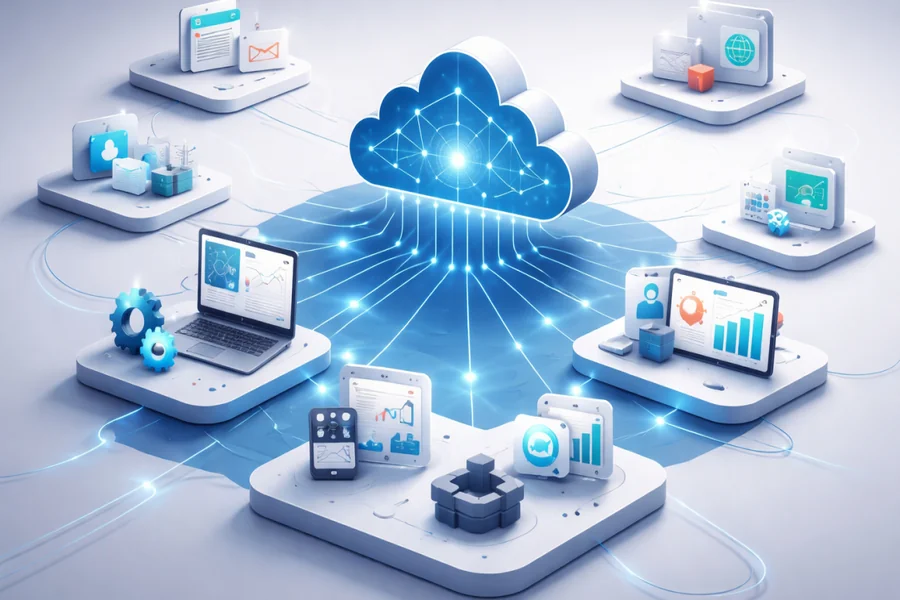
System integration creates a communication layer between applications. Depending on the business environment, this can involve APIs, middleware, databases, event-driven architecture, or purpose-built integration platforms. Let’s have a look at 8 ways how businesses connect different software systems.
1. Map All Existing Business Systems
The first step toward better integration is understanding the current technology environment. Businesses should identify every application used across departments and document the information each platform stores, receives, and shares. This process can reveal duplicate systems, isolated databases, manual handoffs, outdated integrations, and unnecessary data movement.
A clear system map should also identify which department owns each application and which business processes depend on it. For example, sales may own the CRM, finance may manage the accounting platform, and operations may control inventory software. Understanding these relationships helps technical teams determine where integration can provide the greatest value.
This assessment also creates a practical starting point for future improvements. Instead of connecting applications without a clear objective, businesses can prioritize systems that have the strongest impact on revenue, customer experience, compliance, or operational efficiency.
2. Standardize Data Across Departments
Different departments may use different formats for the same information. A customer could have one identifier in the CRM, another identifier in the billing system, and a third record in the customer support platform. Without common standards, system integration can simply move inconsistent information from one application to another.
Businesses should establish consistent definitions for important data fields, identifiers, naming conventions, validation rules, and ownership. Customer, employee, product, supplier, order, and financial records should follow agreed standards wherever practical.
Data standardization makes synchronization more reliable and reduces duplicate records. It also gives departments greater confidence in reports because teams are working with information that follows consistent rules across the organization.
3. Use APIs to Connect Applications
APIs provide a structured way for different applications to exchange information. Instead of employees manually copying information between systems, an API can allow one platform to send approved data to another application according to predefined rules. For businesses looking for enterprise software integration solutions for businesses, APIs provide a practical way to connect essential platforms without replacing the entire technology stack.
For example, when a sales representative updates an opportunity in a CRM, an integration can send relevant information to the finance system after the deal reaches an approved stage. Finance can then access the required customer and transaction details without waiting for a manual handoff.
API integration can support customer records, orders, payments, inventory information, employee data, notifications, and reporting. Proper authentication, authorization, validation, logging, and error handling should be included to maintain reliable and secure communication.
4. Build Connected Departmental Workflows
Integration becomes more valuable when it connects complete business workflows rather than individual pieces of data. A single business process can involve several departments, applications, and approval stages.
Employee onboarding provides a simple example. HR may create an employee record, IT may provision system access, finance may require payroll information, and facilities may need access details. Without connected workflows, employees in each department may enter the same information separately.
A connected workflow can transfer approved information between systems while maintaining appropriate access controls. Similar workflows can connect sales with finance, procurement with operations, customer service with billing, and marketing with sales.
5. Use Middleware for Complex Integration Environments
Businesses with many applications can face challenges when every system connects directly to every other system. As the number of connections increases, maintenance, troubleshooting, and system changes can become more difficult.
Middleware can provide a central integration layer between applications. Instead of creating separate connections for every system pair, applications can communicate through a managed layer that handles data transformation, routing, authentication, and other integration requirements.
This approach can be useful for organizations with legacy applications, cloud platforms, databases, third-party services, and specialized departmental software. It can also make future expansion easier because new applications can connect through an established integration architecture.
6. Choose Custom Development for Specialized Requirements
Off-the-shelf connectors can work well for common applications and straightforward use cases. However, some businesses operate with proprietary software, legacy platforms, industry-specific applications, or workflows that require specialized business rules.
A custom application development company can create integration solutions around these specific requirements. Custom APIs, connectors, dashboards, data transformation services, and internal applications can help bridge gaps that standard integration products may not address.
Custom development can also help businesses modernize older systems without immediately replacing them. A carefully designed integration layer can allow legacy applications to exchange information with newer platforms while the organization follows a gradual modernization strategy.
7. Strengthen Integration Security and Access Controls
Connecting more applications creates more pathways for business information to move between systems. Security therefore needs to be considered throughout the integration architecture rather than treated as a separate technical concern. Businesses using custom application development solutions should ensure that security controls are built into applications and integrations from the beginning.
Businesses should focus on:
- Strong authentication for connected applications
- Role-based authorization and least-privilege access
- Encryption for sensitive information
- API access controls and rate limits
- Detailed audit logs
- Secure credential management
- Regular vulnerability testing
- Data retention and compliance requirements
Access should be limited to the information each system or user actually needs. Monitoring should also identify unusual access patterns, failed authentication attempts, and other indicators that could signal a security issue.
8. Monitor Integrations and Measure Performance
Integration requires ongoing oversight after systems are connected. A connection that works during initial deployment can later encounter API changes, authentication failures, data validation issues, application updates, or unexpected increases in transaction volume.
Businesses should establish monitoring processes that track the health of critical integrations and provide clear visibility into failures. Useful indicators include failed transactions, processing delays, duplicate records, API errors, and synchronization problems.
Performance can also be evaluated through business metrics such as:
- Reduction in manual data entry
- Faster order and approval processing
- Fewer duplicate customer records
- Lower reconciliation effort
- Reduced data-related support cases
- Faster customer response times
- Improved reporting accuracy
- Higher employee productivity
Regular performance reviews help businesses determine whether their integration strategy is delivering measurable operational value.
The End Note
Connecting disconnected systems requires more than installing software connectors. Businesses need a clear understanding of their applications, data, workflows, security requirements, and long-term objectives. Enterprise software development services can help organizations build an integration strategy that brings these elements together while supporting operational efficiency and sustainable growth.
When systems share information through secure, structured, and well-managed connections, departments can work from consistent data instead of isolated records. The result is a more coordinated organization, stronger decision-making, and technology infrastructure that can adapt as business needs evolve.



Pingback: Why Countdown Clocks Make Time Feel More Valuable